Orders and jobs
Orders and jobs
An order is what a customer bought in Shopify or Etsy. A job is the work on your board. Orders become jobs when you add them to production, and you can add jobs that never came from a shop.
On this page
How orders arrive
- Shopify: new orders arrive from your store automatically. Choose Check for new orders if you want to refresh straight away.
- Etsy, direct: new paid orders from your connected shop arrive automatically. Import latest Etsy orders in Sales channels fetches the latest straight away.
- Etsy, through Shopify: choose Import latest Etsy orders in Sales channels to bring in your 25 most recent paid orders. Orders already imported are rechecked at the same time.
Bringing an order in doesn’t put it on the board. It waits in Order intake for you to decide.
Order intake
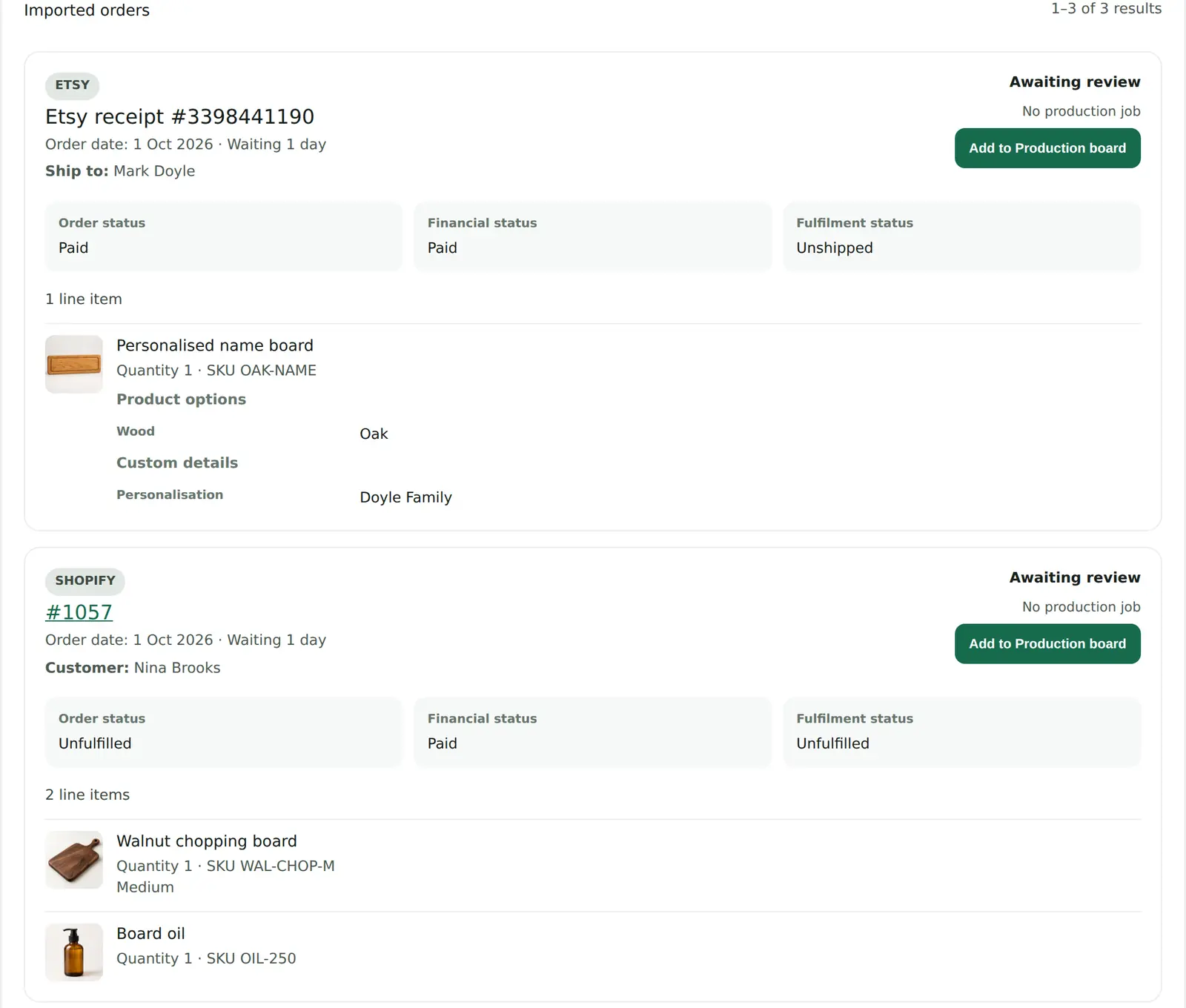
For each order, you can:
- Add to Production board to create a job. It starts in the board’s first stage unless a rule or product default says otherwise.
- Skip it. Skipped orders stay available if you decide to add them later.
- Ignore it. Ignored orders are hidden from the working list but stay available under Ignored.
Filter by source (Shopify or Etsy), by state (Awaiting review, Added to Production board, Skipped, Ignored), or search by order number, SKU or product. An order that has already shipped, been cancelled or been fully refunded can’t be added.
If you delete a completed job, ProdBord won’t bring its order in again. To get it back, use Bring back a deleted order at the bottom of Order intake.
Adding a job by hand
Use Add job on the board for work that didn’t come through a shop: commissions, wholesale runs, repairs, samples or market stock.
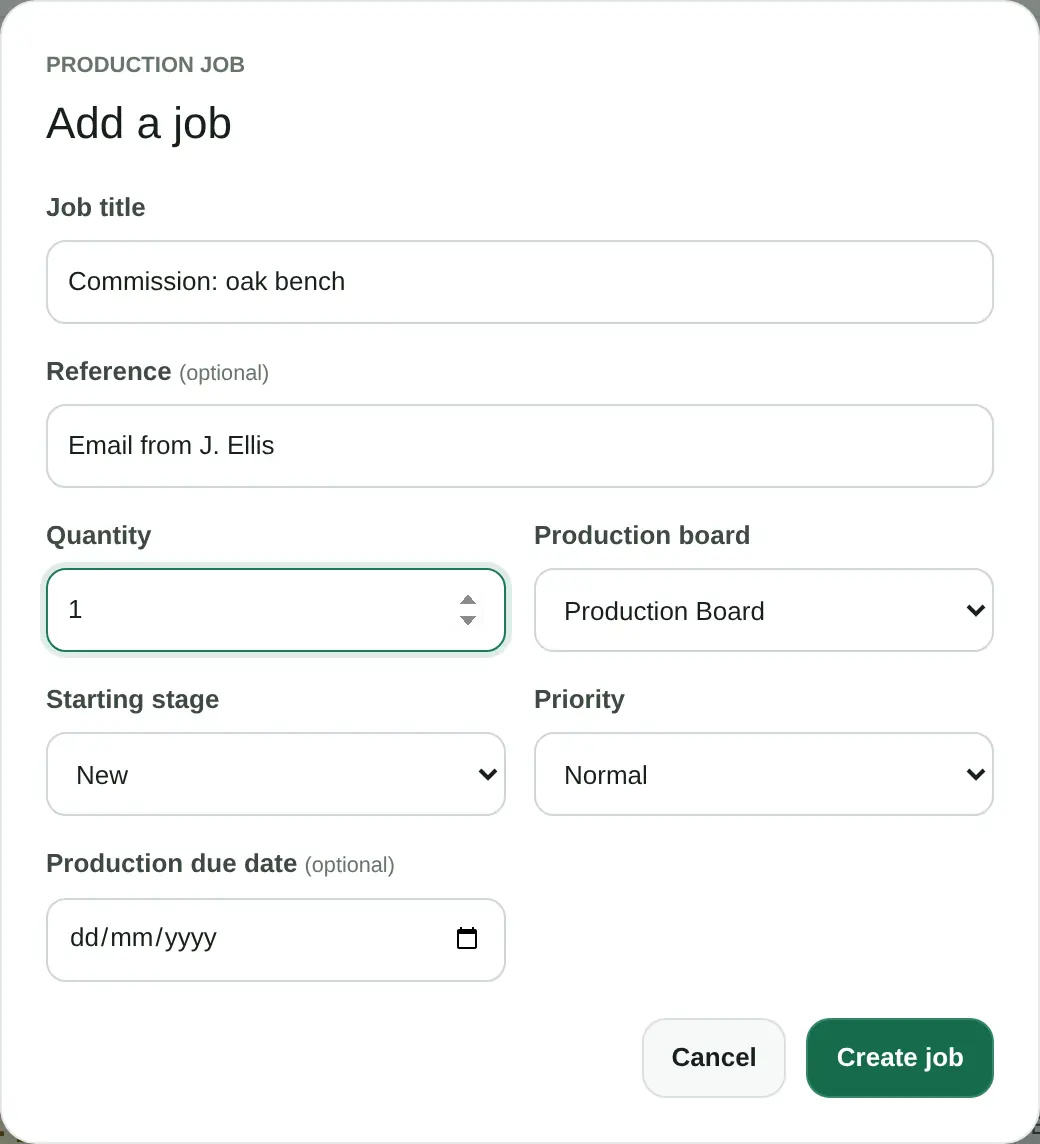
- Job title is what appears on the card.
- Reference is optional: a customer name, an email subject or a wholesale order number.
- Choose the quantity, the board and the stage to start in, set priority to High if it’s urgent, and add a due date if you know one.
Jobs you add by hand show as Manual on the board, and don’t pass through Order intake.
Rules that add orders for you (Shopify)
If you use ProdBord through Shopify, you can set up rules in the ProdBord app in Shopify admin instead of adding every order by hand. A rule can:
- add new orders that match it to a board and stage you choose, or
- set a job to High priority when it’s added to a board.
Conditions can check the order’s payment or fulfilment status, order tags, product tags, SKU, product, variant, product title, variant title or vendor. A rule can require all of its conditions or any one of them. Rules run only when their conditions are met, and the Activity page shows what each rule did.
Production defaults for Shopify products
Also in Shopify admin, Production profiles let you set defaults for a Shopify product or variant: which board and stage its jobs start in, their priority, a lead time in working days, the expected minutes per item and plain-text making instructions. Changing a profile affects new jobs only.
When an Etsy order is cancelled or refunded
If an Etsy order is cancelled or fully refunded after its job is on the board, the job is flagged so you notice. ProdBord doesn’t delete, move or complete the job for you, because you might already have made it. You decide what to do with it.
What ProdBord changes in Shopify and Etsy
Nothing. ProdBord reads your orders but never changes orders, fulfilments, payments, refunds or customer records in Shopify or Etsy. Moving or completing a job is recorded in ProdBord only. You still fulfil and ship orders in Shopify or Etsy as usual.